
Compliance, Explained
Cyber Essentials in 2026: what UK businesses need to check before applying
Inxtinct Editorial Team · Sep 7, 2026 · 6 min read

Someone asks whether your business has Cyber Essentials. That request might come from a customer, a tender or an internal decision to improve security. Either way, the temptation is to download a checklist and start ticking boxes.
There is a more useful first step: decide what the assessment actually covers and how the business is using technology today. Many of the problems applicants find are not exotic vulnerabilities. They're unsupported software, cloud accounts nobody owns, unnecessary administrator privileges or a gap between the written answers and the real setup.
This guide is written for UK organisations preparing for Cyber Essentials under the technical requirements current in October 2026. The National Cyber Security Centre (NCSC) lists Requirements for IT Infrastructure v3.3, effective from 27 April 2026, as the current version. If your assessment started under an earlier version, check the transition arrangements with your certification body rather than assuming these instructions override them.
Understand what Cyber Essentials tests
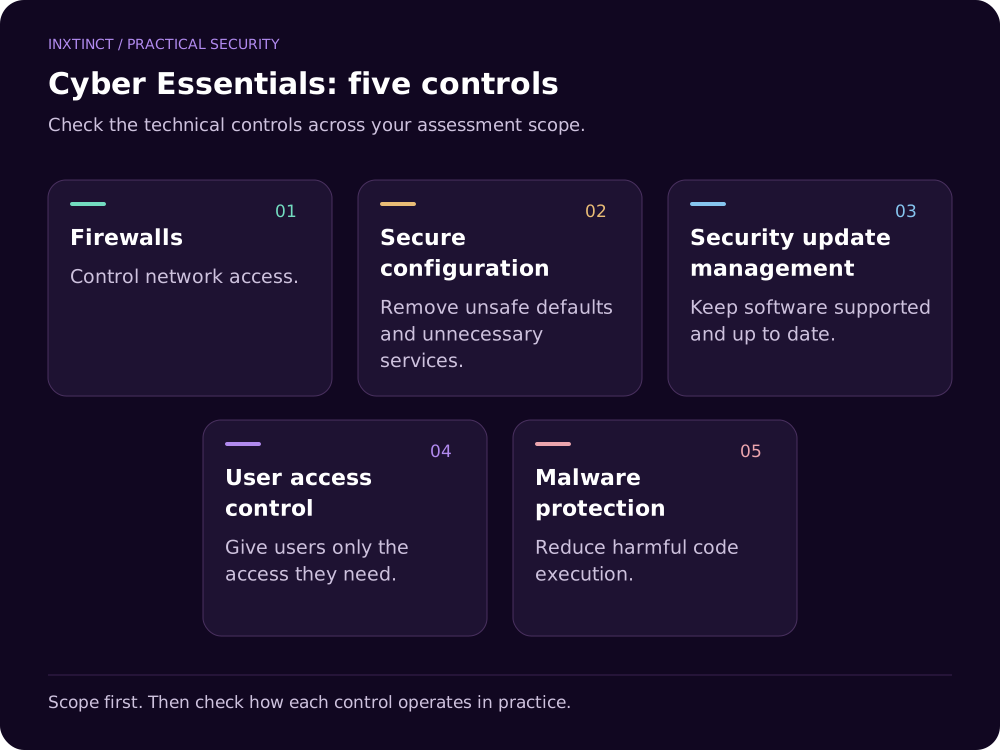
Cyber Essentials is a UK government-backed baseline cybersecurity certification scheme. It organises its technical requirements under five controls:
- Firewalls
- Secure configuration
- Security update management
- User access control
- Malware protection
It is not an exhaustive security audit, a substitute for risk management or proof that a business cannot be compromised. Its value is that it makes basic technical expectations explicit, and certification can also help answer customer procurement questions.
Cyber Essentials Plus adds independent technical testing. It isn't simply a more impressive badge attached to the same self-assessment.
Scope is the first decision, not the last one
Write down which parts of the organisation and infrastructure the certification will cover. Think about users, devices, networks, hosted services, remote working and the way people authenticate.
The v3.3 requirements make an important point: cloud services cannot simply be excluded from scope. A business with no traditional servers may still depend on identity services, email, file storage and hosted applications. Don't assume “we're fully cloud-based” simplifies the scope to zero infrastructure.
The scope should be understandable to someone outside the business. If a contractor uses their own laptop to access company data, or a manager uses a personal phone, assess the relevant requirement rather than deciding informally that the device doesn't count.
Check the five controls against real evidence
1. Firewalls: who can connect to what?
Identify devices that need a local firewall and networks that need boundary protections. Check the actual configuration rather than just the existence of a firewall product. Remove unnecessary inbound access and record authorised exceptions.
For cloud environments, include the access policies and network controls the service exposes. Responsibility may be shared between your organisation and the provider, but the provider's security reputation does not answer whether your own tenant is correctly configured.
2. Secure configuration: what did you leave enabled?
Review default settings, unnecessary services, unsupported accounts and administrator privileges. A workstation that came with a secure operating system can still be poorly configured if users routinely operate as administrators or risky functionality is left enabled.
Keep a record of your chosen baseline, how you deploy it and how deviations are approved. This is often more useful than a screenshot taken the night before an assessment.
3. Security update management: are the devices supported?
Identify operating systems and applications that are out of support, then establish who owns updates. Check where updates are controlled centrally and where staff are expected to install them themselves.
The exact requirements and deadlines depend on the scheme version and the category of update. Use the current v3.3 technical document for the authoritative wording; do not rely on an old blog post that may cite a superseded rule.
4. User access control: who has more access than they need?
List privileged accounts, leavers who still have access, shared credentials and accounts without appropriate authentication protection. Apply strong authentication and avoid giving people administrative access as a default convenience.
Cloud administration matters here too. Someone who no longer works with you should not remain able to sign in to the systems that hold customer files or employee data.
5. Malware protection: how do you reduce harmful code execution?
Confirm that devices use the appropriate malware protections and that users cannot casually disable them. Depending on the device and configuration, there are several ways to meet the applicable requirements; read the scheme wording rather than buying a product solely because a reseller says it is “Cyber Essentials compliant”.
What's different about the 2026 requirements?
The v3.3 document highlights a defined treatment of cloud services, an updated passwordless authentication definition including FIDO2, a reference to the Software Security Code of Practice and an emphasis on backups. The source document also clarifies scope terminology.
The sensible way to handle changes is not to rewrite your entire security programme. Compare your present controls with the current requirements, record where you already comply and focus effort on the gaps that affect the assessment.
A useful readiness worksheet
Prepare one evidence folder with the following sections:
| Area | What to collect | What to verify |
|---|---|---|
| Scope | Asset inventory, cloud services, users | Does it match actual work practices? |
| Configuration | Device baselines, admin groups | Are unnecessary privileges removed? |
| Updates | Version reports, support status | Is unsupported software identified and addressed? |
| Access | Joiner/leaver process, MFA settings | Can former staff still sign in? |
| Protection | Malware settings and exceptions | Are controls operating across in-scope devices? |
You may not need every document in precisely this form for certification. The purpose is to make your own answers defensible and help locate problems before submission.
What tends to delay an application?
The recurring difficulty is inconsistency. The policy says one thing, IT manages another, and an individual team has adopted a service that nobody included in the scope. A quick internal interview with IT, finance and people operations can catch more than another generic spreadsheet.
If you're applying because a customer has set a deadline, don't wait until the final week. Leave time to remediate, confirm scope and resolve questions with your chosen assessor.
Inxtinct provides compliance consultancy for organisations that need help turning a scheme requirement into practical work. That can mean a readiness review, evidence organisation or a specific remediation plan rather than treating certification as a mystery project.